Manage Plugins
The Plugins view is Senso MCP’s control centre: this is where you enable toolsets, install new plugins and apply updates. All actions take place without reloading the page.
The Plugins view
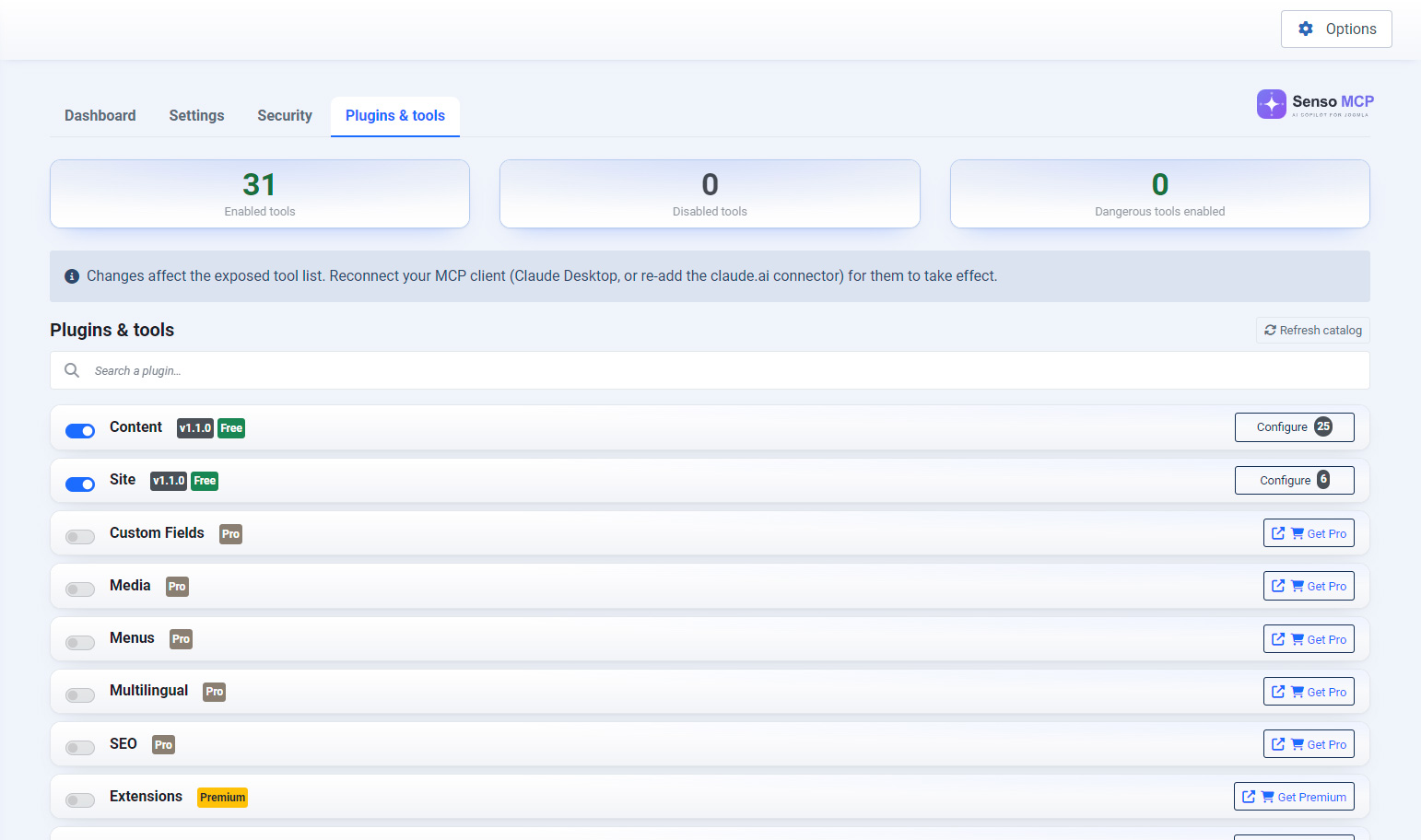
The view lists all Senso MCP plugins, showing the status, version and offer badge for each one. The counters at the top summarise the number of active plugins and available tools.
Enable / disable
A toggle enables or disables each plugin. Enabling adds the corresponding tools to the server, while disabling removes them; the tool list and counters are updated immediately.
Installing a plugin
Plugins included with your plan can be installed directly from the Plugins view with a single click, without going through the Joomla installer.
Updating
When a new version of a plugin is available, a “Update X.Y.Z” button appears on its card. One click is all it takes: the update is applied without leaving the page, and the changelog is displayed.

Uninstalling
A delete button lets you uninstall a plugin that is no longer needed. The core plugins — Content and Site — are protected and cannot be uninstalled because they are essential to the server's operation.
Tools accordion
Click a plugin to expand the list of tools it exposes, along with their descriptions. On mobile devices and tablets, descriptions are hidden to keep the list easy to read.
