Update
Senso MCP notifies you of new releases and lets you update your extensions directly from Joomla. Here’s how the system works and how to use it.
The update system
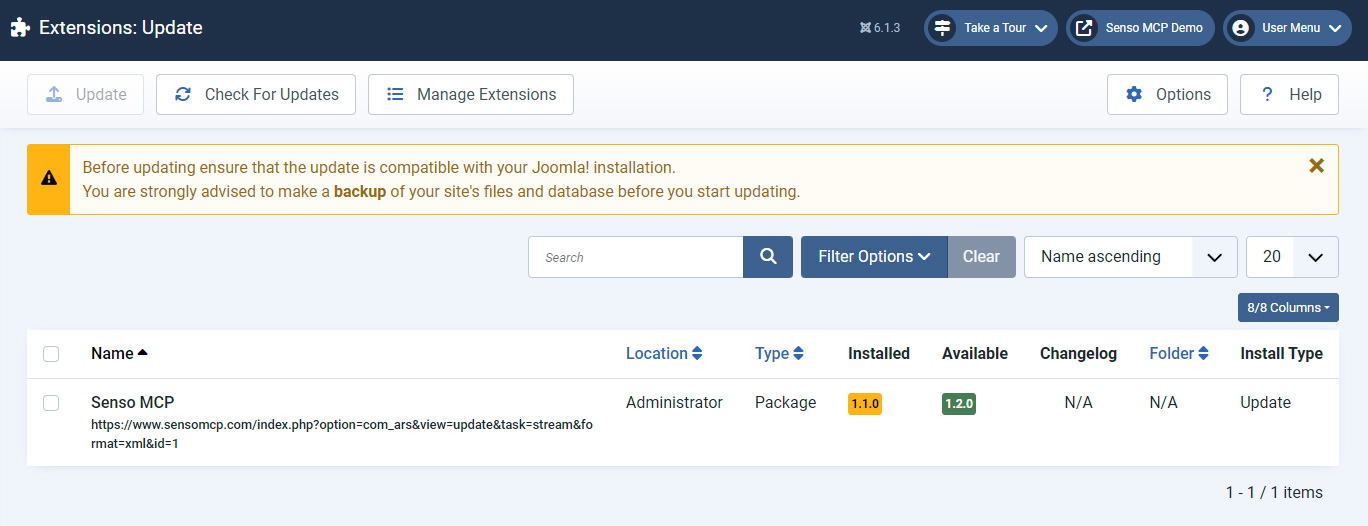
Senso MCP extensions are updated through Joomla’s standard update system, powered by our distribution server. The free package can be updated freely. Paid plugins require your Download ID, which only needs to be entered once in Joomla (see the Shop & licences section).
New version notification
When a new version is available, a banner appears on the component dashboard, and the update is also indicated under System → Update in Joomla.

Updating a plugin
From the Plugins view, an “Update X.Y.Z” button is displayed for each plugin concerned. A single click is all it takes: the update is performed without leaving the page, and the version changelog is displayed.

Manual update
You can also update manually: download the latest archive from the shop, then reinstall it via System → Install → Upload Package File. Joomla replaces the current version while preserving your configuration.